Choose a look
Five built-in options, ready from the camera screen.
 Get Disp on Google Play
Meet Disp · Android
A simple film camera app with a vintage feel. Choose a look, frame the day, and save the photo or video to your phone.
Five camera looks Photo + video Made for Android
A little grain. A little warmth. The familiar flash at the edge of the night. Disp keeps the camera simple so the moment can stay yours.
Meet the five looksFive ways to see it
Choose one in the camera. Keep the rest of your attention on the moment.
The everyday classic
Soft light, slow mornings
For the last light
A little warmth
Bright days out
A few frames
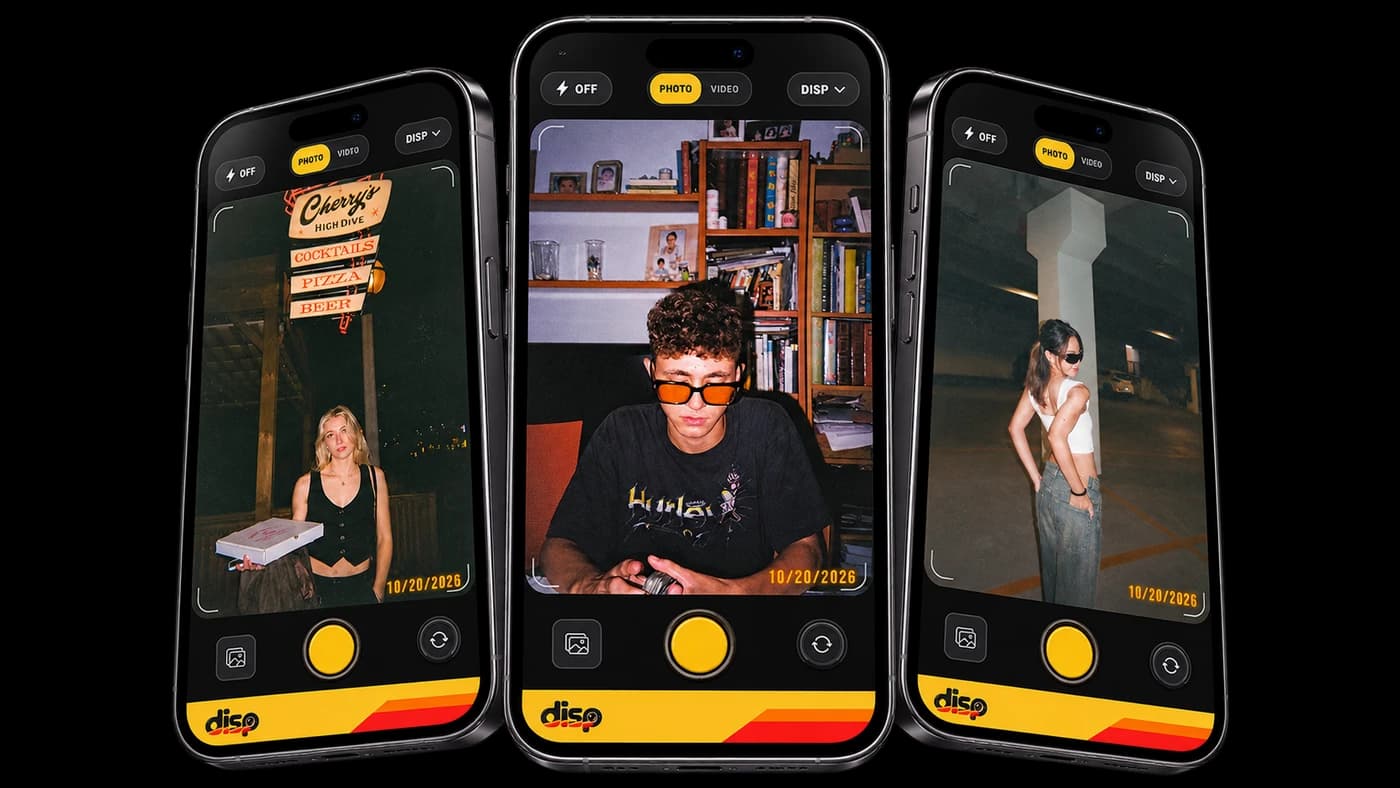
See the camera interface and sample scenes in the actual Disp mockup.
Scenes shown in the supplied Disp camera mockup.
The good stuff, kept simple
Bring the same easy, film-inspired approach to a still frame or a short video.
Five built-in options, ready from the camera screen.
Use the camera flash and add the optional date stamp when it suits the frame.
Switch to video to capture a clip with audio, then review the developed result.
Keep finished photos and videos in your device photo library.
From moment to memory
Choose a look, then take a photo or record a video.
Disp applies your chosen camera look on your device.
Review the result and save it to your device photo library.
Disp is a disposable camera app for Android. It captures photos and videos with five film-inspired looks, then lets you review and save them.
Yes. Choose a look in the camera, record a video with sound, then review and save the developed clip.
Disp processes captures on your device and saves finished media to your photo library when you choose Save. It does not upload your media to Disp servers. Google advertising and consent services are described in the privacy policy.
Yes. Both are camera controls, so you can choose how a frame should look before you capture it.
Disp is available on Google Play for Android. The App Store version is not available yet.
Take Disp with you
Get Disp for Android on Google Play.
Get Disp on Google Play